Step-by-step AI photo workflow for couples 2026
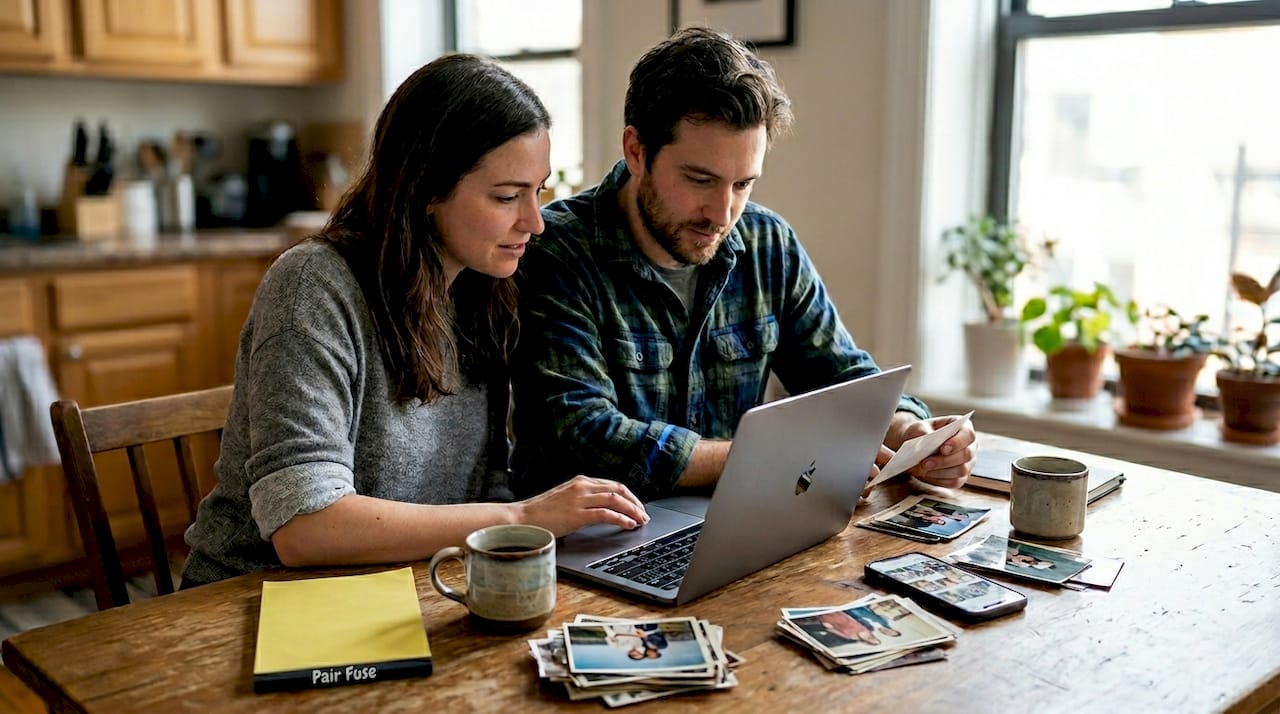
Creating photorealistic, personalized romantic images and future baby visualizations with AI can feel overwhelming when you’re not sure where to start. Many couples want stunning AI-generated photos that truly capture their likeness and chemistry, but they struggle with technical platforms, confusing prompts, and disappointing results that look artificial or distorted. This guide walks you through a clear, step-by-step AI photo workflow designed specifically for couples in 2026, covering everything from preparation and execution to verification and troubleshooting. You’ll learn exactly how to achieve professional-quality, emotionally authentic images without needing photography experience or complex technical knowledge.
Table of Contents
- Essential Preparation: What You Need Before Starting Your AI Photo Workflow
- Step-By-Step Execution: Using AI Tools To Create Personalized Photorealistic Couple And Family Images
- Verification And Troubleshooting: Common Mistakes And How To Refine Your AI Photos
- Discover Professional AI Couple Photoshoots And Future Baby Generators At PairFuse
- FAQ
Key takeaways
| Point | Details |
|---|---|
| Preparation is essential | High-quality input photos and clear goals set the foundation for photorealistic AI results. |
| Structured execution delivers results | Following a step-by-step workflow from upload to prompt crafting ensures personalized, realistic imagery. |
| Verification prevents common errors | Identifying and correcting distortions, lighting issues, and unnatural poses refines your final images. |
| AI tools offer creative flexibility | Platforms provide romantic, retro, studio, and future baby visualization options tailored for couples. |
| Expert tips optimize outcomes | Pro strategies for photo selection, prompt phrasing, and iterative refinement maximize quality and authenticity. |
Essential preparation: what you need before starting your AI photo workflow
Before you begin generating AI photos, gathering the right materials and setting clear intentions makes a dramatic difference in your results. The quality of your input photos directly impacts how realistic and personalized your final images will be. You need high-resolution, well-lit photographs where both faces are clearly visible, ideally taken in natural lighting conditions without heavy filters or extreme angles. Blurry selfies or low-quality snapshots produce disappointing AI outputs because the algorithms struggle to extract accurate facial features and proportions.
Start by selecting 5 to 10 photos of each person that show different angles, expressions, and lighting conditions. Variety helps the AI understand facial structure from multiple perspectives, which improves identity preservation across different generated scenarios. High-quality input photos improve AI-generated results significantly, so prioritize images where skin texture, eye color, and hair detail are crisp and clear. Avoid photos with sunglasses, heavy makeup that alters facial structure, or extreme shadows that obscure features.
Next, familiarize yourself with AI photo generation platforms and their capabilities. Different tools specialize in different outputs. Some excel at romantic couple portraits with editorial styling, while others focus on future baby predictions or seasonal themed photoshoots. Understanding what each platform offers helps you choose the right tool for your specific vision. Research whether the platform emphasizes photorealism versus artistic interpretation, and check if it supports batch processing or requires individual image generation.
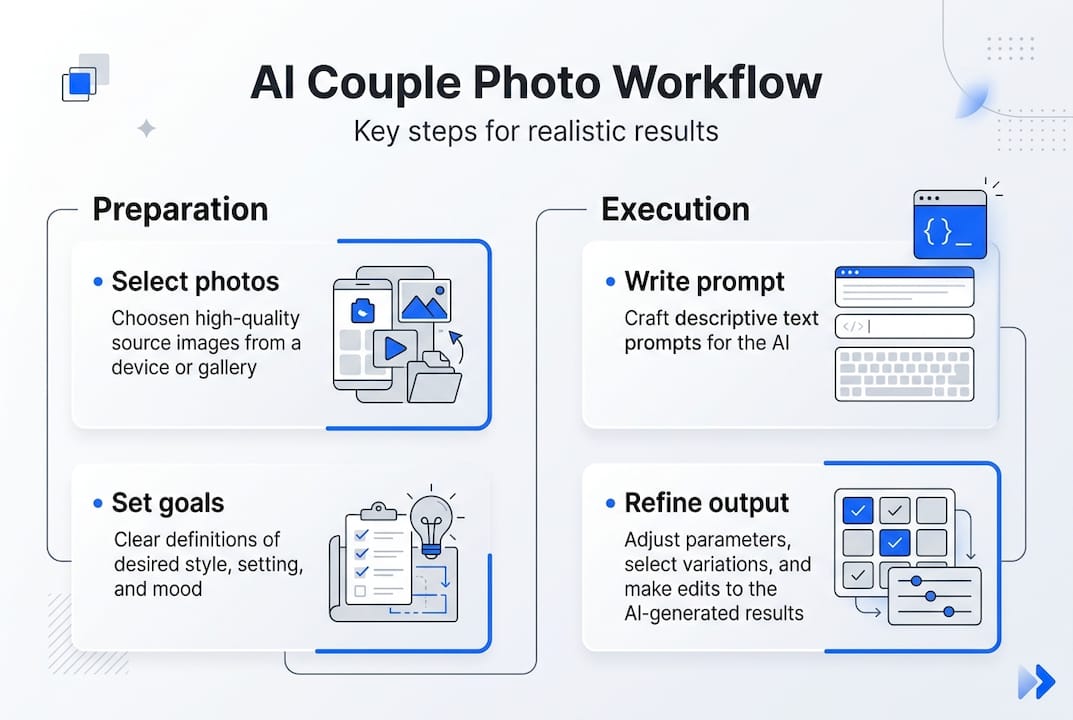
Decide on your creative goals before uploading anything. Are you creating romantic anniversary images, planning a surprise gift, visualizing future children, or exploring different aesthetic styles like vintage film photography or modern studio portraits? Having a clear purpose shapes your prompt strategy and helps you evaluate results against your original intent. Write down specific details you want to see, such as clothing style, background setting, mood, and emotional tone.
Organize your selected photos in a dedicated folder with descriptive names. Create a simple document listing your goals, preferred styles, and any specific details you want the AI to emphasize or avoid. This preparation saves time during the execution phase and ensures you don’t forget important preferences mid-workflow.
Pro Tip: Choose photos where both people are looking directly at the camera with neutral or gentle expressions. These images give AI algorithms the clearest facial data for identity preservation, resulting in generated photos that genuinely look like you rather than generic approximations.
Step-by-step execution: using AI tools to create personalized photorealistic couple and family images
Once your preparation is complete, you’re ready to move through the actual AI generation workflow. This process involves several sequential steps that build on each other, so following the order carefully produces the best outcomes. Skipping steps or rushing through prompts typically results in images that miss the mark on realism or personalization.
Step one involves uploading and preparing your input photos within the AI platform. Most tools require you to create an account and navigate to an upload interface. Select the photos you organized during preparation and upload them according to the platform’s specifications. Some systems analyze faces automatically, while others ask you to tag or label individuals. Pay attention to any file size or format requirements, and ensure your uploads complete successfully before proceeding. If the platform offers facial recognition or identity tagging features, use them to help the AI distinguish between the two people in couple photos.
Step two focuses on crafting effective prompts that guide the AI toward your desired outcome. Prompts combine technical instructions with emotional and aesthetic descriptions. For romantic couple images, you might write prompts like “cinematic studio portrait, soft natural lighting, warm color grading, genuine smiles, professional photography quality” or “retro film aesthetic, golden hour lighting, intimate pose, vintage color palette, authentic expressions.” The key is balancing specific technical details with emotional authenticity. Avoid vague prompts like “nice photo” or overly complex instructions that confuse the algorithm.
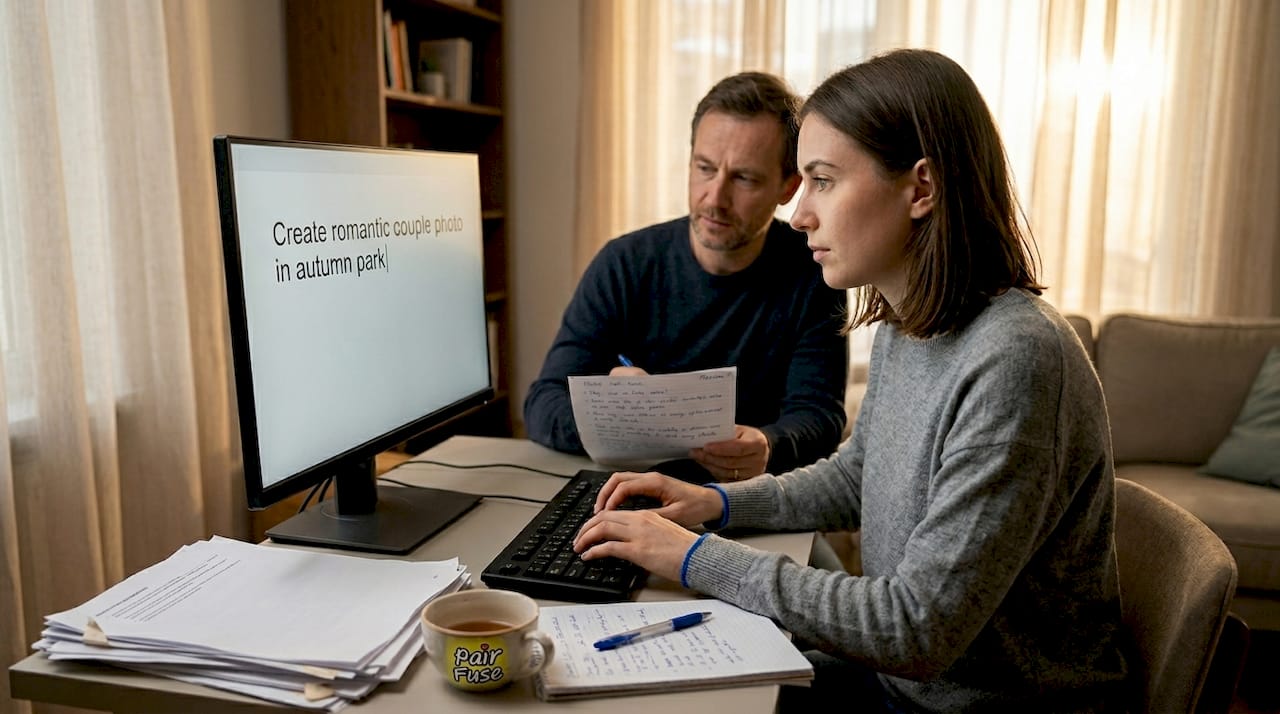
When creating AI family photos, adjust your prompts to emphasize natural family dynamics and realistic scenarios. For future baby visualizations, prompts should focus on infant features, soft lighting, and gentle tones rather than adult portrait techniques. Experiment with different phrasing to see what produces the most accurate results for your specific faces and desired style.
Step three involves selecting the appropriate AI model, preset, or style template. Many platforms offer categorized options like “romantic portraits,” “studio sessions,” “winter fairytale,” “retro vibes,” or “future baby generator.” These presets apply specific aesthetic treatments and technical parameters optimized for that style. Review sample outputs from each preset to understand the visual characteristics before committing to generation. Some platforms allow you to customize presets further by adjusting parameters like color saturation, contrast, skin smoothing, or background blur.
Step four is generating your initial images and beginning iterative refinement. Click the generate button and wait for the AI to process your inputs and prompts. Initial results may not be perfect, which is completely normal. Examine the generated images carefully for facial accuracy, natural expressions, realistic lighting, and overall composition. If the first batch doesn’t meet your expectations, adjust your prompts based on what you observe. Did faces look distorted? Simplify your prompt and emphasize “photorealistic facial features.” Was the lighting too harsh? Add “soft natural lighting” or “diffused light” to your next attempt.
Iterative refinement is where following best practices for AI-generated portraits becomes crucial. Generate multiple variations with slight prompt adjustments to compare results. Save your favorite outputs and note which prompts produced them. This process helps you develop an intuitive understanding of how the AI interprets different instructions, making future generations faster and more accurate.
| Workflow Step | Key Inputs | Expected Outputs | Common Adjustments |
|---|---|---|---|
| Upload photos | 5-10 high-resolution images per person | Facial recognition and identity tagging | Re-upload if quality warnings appear |
| Craft prompts | Technical and emotional descriptors | Clear instructions for AI interpretation | Simplify or add specificity based on results |
| Select model/preset | Romantic, studio, retro, or baby themes | Style-appropriate aesthetic treatment | Switch presets if style doesn’t match vision |
| Generate and refine | Adjusted prompts from initial review | Improved photorealism and personalization | Iterate 2-4 times for optimal results |
Pro Tip: When crafting prompts, place your most important requirements at the beginning of the prompt text. AI algorithms often prioritize earlier instructions, so leading with “photorealistic facial accuracy” or “true-to-life identity preservation” increases the likelihood those elements appear strongly in your final images.
Verification and troubleshooting: common mistakes and how to refine your AI photos
After generating your AI images, careful verification ensures you catch and correct issues before considering the project complete. Even advanced AI platforms occasionally produce artifacts, distortions, or unnatural elements that detract from photorealism. Learning to spot these problems and apply targeted fixes transforms mediocre outputs into stunning, believable imagery.
Common mistakes include distorted facial features like asymmetrical eyes, unnatural skin texture that looks overly smooth or plastic, awkward hand positions or extra fingers, lighting inconsistencies where shadows don’t match the light source, and poses that feel stiff or uncomfortable. Hair rendering can also be problematic, with strands appearing painted on rather than naturally flowing. Background elements sometimes contain impossible geometry or blurred details that break immersion.
To evaluate image realism systematically, zoom in on facial features first. Check that eyes are symmetrical, pupils are round and properly aligned, and eye color matches your input photos. Examine skin texture for natural pores and subtle variations rather than airbrushed perfection. Look at the transition between hair and forehead to ensure hairlines appear natural. Verify that teeth look realistic if smiles are visible, avoiding the uncanny valley effect of overly perfect or misaligned teeth.
Next, assess overall composition and lighting. Does the light source make sense given the shadows on faces and bodies? Do colors feel natural and cohesive, or do certain elements have strange color casts? Are both people integrated seamlessly into the scene, or does one person look pasted in? Check hands and fingers carefully, as these are frequent trouble spots for AI generation.
| Error Type | Visual Indicators | Correction Method | Prevention Strategy |
|---|---|---|---|
| Distorted features | Asymmetrical eyes, warped facial proportions | Regenerate with simplified prompt emphasizing facial accuracy | Use high-quality input photos with clear facial visibility |
| Unnatural skin texture | Overly smooth or plastic appearance | Adjust skin smoothing parameters or add “natural skin texture” to prompt | Request realistic skin detail in initial prompts |
| Lighting inconsistencies | Shadows don’t match light source direction | Specify lighting style clearly in prompt or use different preset | Include specific lighting instructions like “soft natural light” |
| Awkward poses | Stiff body language or uncomfortable positioning | Try different pose-related keywords or reference natural couple photography | Study real couple photography for natural pose inspiration |
| Hair rendering issues | Painted or unrealistic hair texture | Regenerate with “detailed hair rendering” in prompt | Provide input photos with clear, well-lit hair |
When you identify errors, use the AI tool’s refinement options if available. Many platforms offer sliders or settings for adjusting specific elements like skin smoothing, color grading, or detail enhancement. Some tools allow you to mask problem areas and regenerate only those sections while keeping the rest of the image intact. If your platform lacks these features, regenerating with adjusted prompts is your best approach.
For persistent issues, consult resources on making AI photos look real and identity preservation techniques. These guides often reveal advanced strategies like adjusting prompt weighting, using negative prompts to exclude unwanted elements, or combining multiple generations to achieve your ideal result.
Follow these troubleshooting steps for consistent success:
- Compare generated images side-by-side with your input photos to verify facial likeness and feature accuracy
- Check all generated images at 100% zoom to spot subtle artifacts or distortions not visible at thumbnail size
- Test different prompts systematically, changing only one element at a time to isolate what improves results
- Save metadata or notes about which settings and prompts produced your best outputs for future reference
- Don’t settle for “good enough” when a few more iterations could achieve truly photorealistic results
- Use batch generation when possible to create multiple variations simultaneously for easier comparison
Remember that achieving photorealistic, personalized AI imagery often requires patience and iteration. Professional results come from understanding both the technical aspects of AI generation and the creative elements that make images feel authentic and emotionally resonant. Each refinement cycle teaches you more about how the AI interprets instructions, making you more efficient at generating exactly what you envision.
Discover professional AI couple photoshoots and future baby generators at PairFuse
Now that you understand the complete AI photo workflow, you can take your romantic imagery to the next level with professional-grade tools designed specifically for couples. PairFuse specializes in creating photorealistic couple photos and future baby visualizations that preserve true-to-life identity and emotional authenticity. Unlike generic AI image generators, PairFuse focuses exclusively on making people in your photos look genuinely recognizable, with natural expressions, realistic skin texture, and fine detail that rivals professional photography.
Explore themed photoshoot options including studio couple photoshoots with editorial polish, winter fairytale scenes, retro-inspired aesthetics, and romantic sunset portraits. The AI couple photo maker handles everything from casual date-night images to elegant anniversary portraits, all without requiring a photographer or studio session. For couples curious about future family possibilities, the AI baby generator creates realistic infant visualizations that reflect visible characteristics from both parents, offering a uniquely personal and emotionally engaging experience. PairFuse combines cutting-edge AI technology with an intuitive interface, making professional-quality personalized imagery accessible to everyone.
FAQ
What is the best resolution for input photos in AI workflows?
For optimal AI photo generation, use input photos with a resolution of at least 1080p or higher. Higher resolution images provide the AI with more facial detail, skin texture information, and feature clarity, which directly translates to more accurate and photorealistic outputs. If your photos are lower resolution, the AI must interpolate missing details, which can result in softer features or reduced likeness accuracy.
Can I generate future baby images from just couple photos?
Yes, advanced AI baby generators can synthesize realistic future baby visualizations using only photos of both parents. These tools analyze facial features, proportions, and characteristics from each parent’s images, then create infant portraits that reflect plausible inherited traits. While not scientifically predictive, the results offer a creative and emotionally engaging visualization of what a future child might resemble.
How do I fix distorted features in AI-generated photos?
When you encounter distorted features, start by regenerating the image with a simplified prompt that explicitly emphasizes facial accuracy and photorealism. Many distortions occur when prompts are too complex or conflicting. If problems persist, check that your input photos are high quality and well-lit, as poor source material limits what the AI can achieve. For persistent issues, consult guides on fixing distorted AI photos that cover advanced refinement techniques and identity preservation strategies.
How many iterations does it typically take to get perfect AI couple photos?
Most users achieve satisfactory results within 2 to 4 generation iterations as they refine prompts and adjust settings based on initial outputs. Your first attempt provides valuable information about how the AI interprets your inputs, allowing you to make targeted improvements. With practice, you’ll develop an intuitive sense of effective prompt phrasing and parameter selection, reducing the iterations needed for future projects.
What makes AI couple photos look more realistic than generic AI art?
Realistic AI couple photos prioritize facial identity preservation, natural expressions, accurate lighting, and photographic composition over stylized artistic effects. Platforms focused on photorealism use specialized algorithms trained on real photography rather than illustrations or paintings. They emphasize skin texture detail, proper eye rendering, natural hair flow, and believable integration of people into scenes, creating images that feel like professional photographs rather than digital art.