Best Practices for AI-Generated Portraits in 2026: From Technical Prompts to One-Click Realism
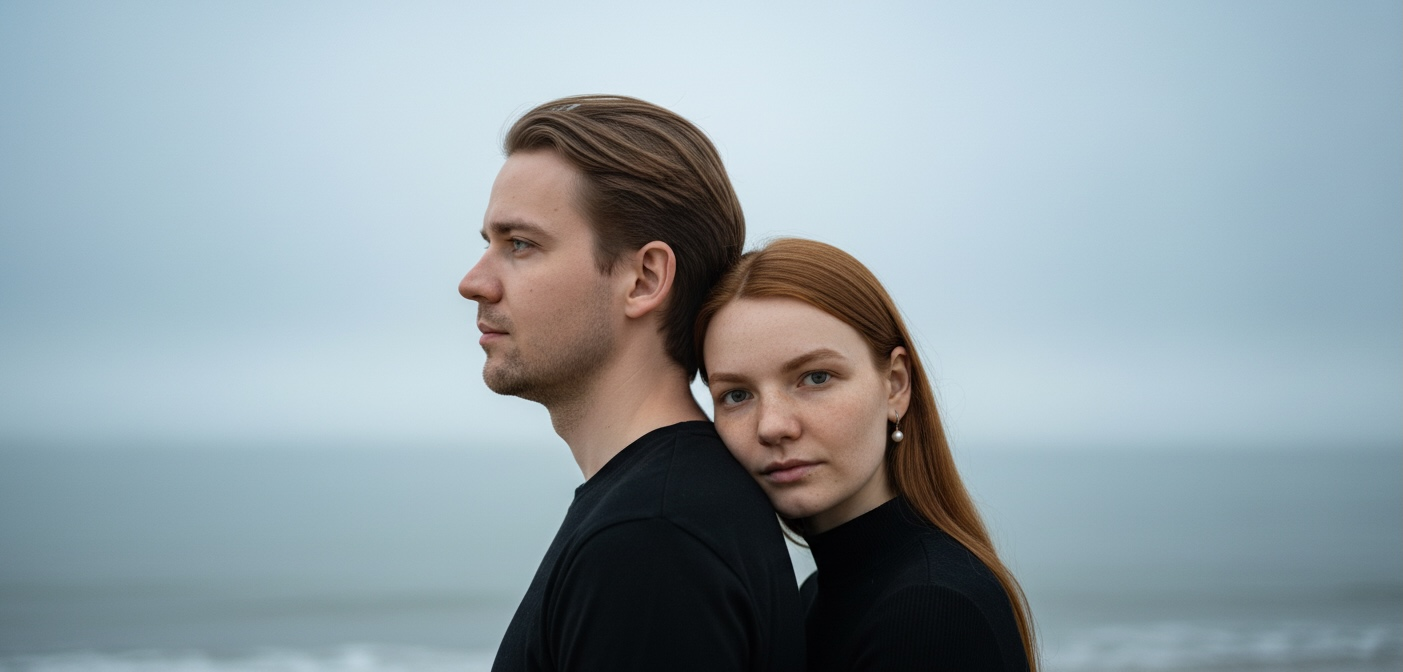
Creating photorealistic AI portraits that truly capture you and your partner’s identity is more challenging than it looks. Between technical settings, model selection, and prompt engineering, there’s a steep learning curve. This article walks you through proven criteria and best practices to help you generate romantic couple portraits and future baby visualizations that actually look like real photographs, not generic AI art.
Table of Contents
-
1. Define Key Criteria For Creating Photorealistic AI-Generated Romantic Portraits
-
2. Explore Top AI Models And Tools For Romantic And Photorealistic Couple Portraits
-
3. Crafting Effective Prompts And Technical Settings For Photorealistic Results
-
4. How AI Baby Generators Use GANS To Create Personalized Future Baby Portraits
-
5. Multi-Stage Refinement And Upscaling Techniques For Ultra-Realistic Portraits
Key takeaways
| Point | Details |
| Legacy vs. Deterministic Workflow | Manual prompting is obsolete for portraits. Modern platforms use a Deterministic Workflow where professional cinematic settings are hard-coded into themes. |
| Model choice: PixelDiT vs Latent | Traditional Latent Diffusion compresses details. Pixel-based Diffusion (PixelDiT) preserves organic skin pores and natural textures without the “plastic” look. |
| True Identity Preservation | High-end generators map up to 468 facial points to guarantee 95-99% resemblance, saving you from the $500+ cost of a physical studio. |
| Deep Trait Analysis for Babies | Modern AI baby generators analyze deep inheritable traits rather than just blending images, ensuring realistic future baby visualizations. |
| The “Lazy Professional” approach | Skip learning samplers, CFG scales, and lens prompts. Get perfect studio-quality results in one click using casual selfies, ideal for LDR couples. |
1. Define key criteria for creating photorealistic AI-generated romantic portraits
Before you start generating images, you need a framework to evaluate quality and realism. The difference between a mediocre AI portrait and one that genuinely looks like you comes down to several measurable factors.
Prompt engineering is crucial, impacting final image quality significantly. Your prompt should include specific lighting descriptions like “golden hour” or “soft window light,” camera specifications such as “85mm f/1.4,” and emotional cues like “tender eye contact” or “quiet intimacy.” These details guide the AI toward photorealistic output rather than generic stock imagery.
Portrait aspect ratios also matter more than you’d think. Using 4:5 or 3:2 dimensions creates natural composition that mimics professional photography. These ratios give your AI couple photos proper balance and visual flow, making them feel authentic rather than cropped or stretched.
Your AI model choice fundamentally determines the style and realism level you’ll achieve. Different models excel at different aesthetics. Some prioritize hyperrealism with accurate skin texture and anatomy, while others lean toward artistic interpretation with dramatic lighting and painterly effects.
A multi-stage production flow is essential for professional results. Start with low-resolution drafts to test your prompt and composition. Then use refiners to enhance fidelity on complex details like skin highlights and eye reflections. Finally, apply upscalers to increase resolution while preserving perceptual similarity.
Key training parameters also influence your final output:
-
Sampler settings control image coherence and detail distribution
-
Step count determines refinement iterations, balancing quality and generation time
-
CFG scale adjusts how closely the AI follows your prompt versus creative interpretation
-
Seed values enable reproducible results when you want to iterate on a successful composition
Understanding these criteria gives you a checklist to evaluate any AI portrait tool or workflow. You’ll know what questions to ask and what settings to adjust when results don’t match your vision.
2. Explore top AI models and tools for romantic and photorealistic couple portraits
Now that you understand the evaluation criteria, let’s compare the leading AI models you’ll actually use. Each has distinct strengths depending on whether you prioritize ease of use, raw realism, or artistic style.
Flux excels in realistic human features, especially facial details and hands. It handles complex anatomical accuracy better than most alternatives, making it ideal when you want portraits that genuinely resemble you and your partner. The skin texture rendering is exceptionally detailed, capturing subtle variations in tone and natural imperfections that make images feel authentic.
Stable Diffusion 3.5 offers a different value proposition. It specializes in artistic, painterly effects with dramatic lighting and cinematic color grading. If you want portraits that feel like editorial fashion photography rather than documentary realism, this model delivers stunning results. The tradeoff is less anatomical precision compared to Flux.
DALL-E 3 is the easiest to use but less powerful in raw quality. Its natural language processing means you can write simple descriptions without technical photography terminology. However, the output tends toward softer detail and less photorealistic skin texture. It’s perfect for beginners who want quick results without a steep learning curve.
Here’s how these models stack up for romantic couple portraits:
| Model / Pipeline | Core Technology | Realism Level | Best For | Prompting Required? |
| General AI (DALL-E 3) | Latent Diffusion | Moderate | Quick, stylized concepts | Yes (Text prompts) |
| Open-Source (Flux / SD 3.5) | Latent Diffusion | High | Tech-savvy users willing to iterate | Yes (Complex prompt engineering) |
| PairFuse AI | Pixel-based (PixelDiT) | Hyper-Realistic (95-99%) | LDR couples, $500 studio alternatives, gifts | No (Deterministic Workflow) |
Prompt engineering leverages each model’s strengths differently. With Flux, you need specific camera settings. For Stable Diffusion, you focus on mood.
The PairFuse Shortcut: While experts debate between Flux and Stable Diffusion, PairFuse completely bypasses the latent diffusion limitations by utilizing a PixelDiT architecture. The platform integrates the best of these models into a single, user-friendly interface. You don’t need to know which sampler or CFG scale to use—our engine is pre-configured with these “best practices” to ensure every portrait preserves your 468 facial points automatically.
3. Crafting effective prompts and technical settings for photorealistic results
Once you’ve selected your AI model, prompt engineering becomes your most powerful tool. The difference between a mediocre portrait and one that captures genuine emotion lies in how precisely you communicate your vision.
Camera and lens specifications anchor your prompt in photographic reality. Including “85mm f/1.4” tells the AI to simulate a portrait lens with shallow depth of field, naturally blurring the background while keeping faces sharp. “50mm f/2.8” creates a wider field of view with more environmental context. These technical details dramatically improve realism because the AI references actual photography rather than generic image concepts.
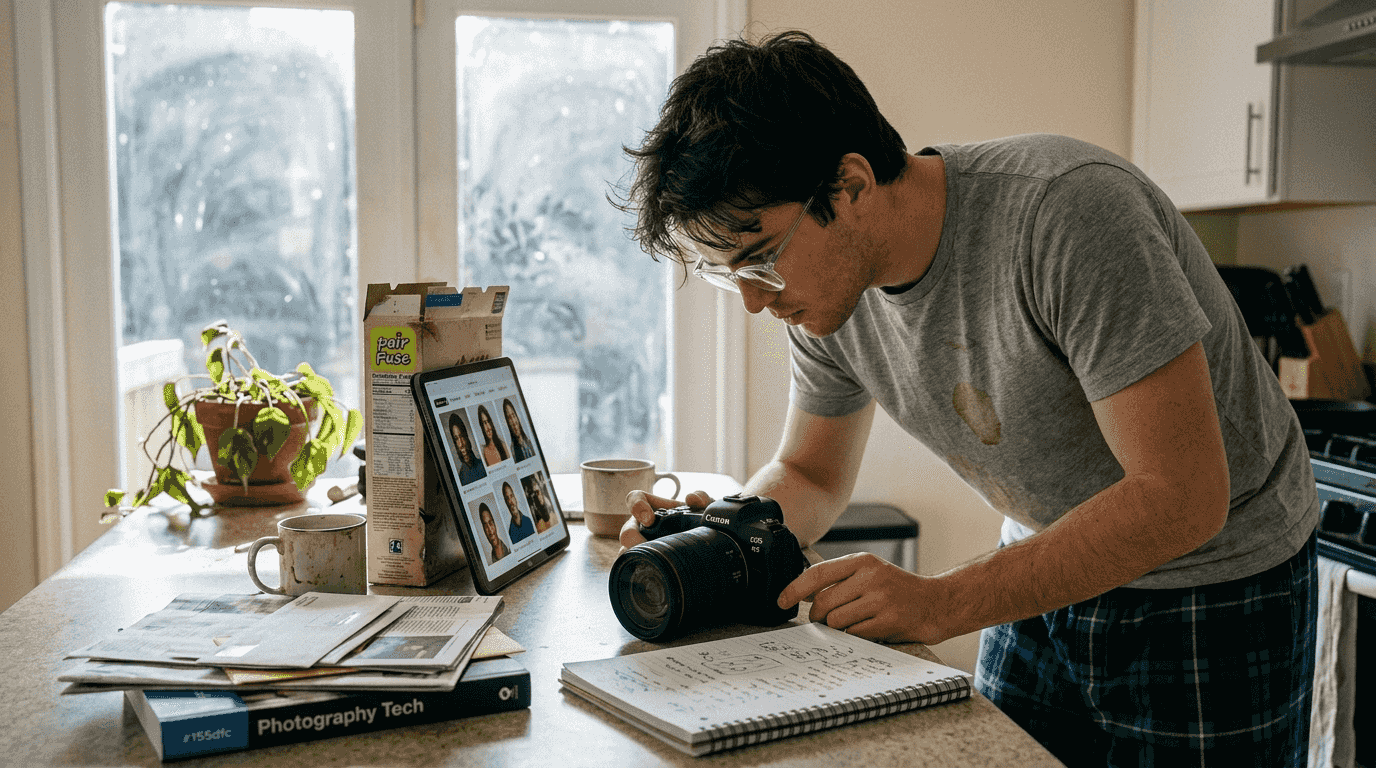
Specific prompts detailing lighting and emotion significantly improve image quality. Describe the light source and its character: “soft golden hour sunlight from the left,” “diffused window light creating gentle shadows,” or “warm indoor ambient lighting.” Then layer in emotional context: “tender eye contact with slight smiles,” “quiet intimacy with foreheads touching,” or “joyful laughter with natural expressions.”
Avoid corporate or documentary-style language in your prompts. Terms like “professional headshot,” “business portrait,” or “formal photography” push the AI toward stiff, generic poses. Instead, use romantic and intimate descriptors that encourage natural body language and genuine connection between partners.
The Legacy Way: Technical Settings Refinement
Historically, achieving photorealism required manually tweaking complex settings:
-
Setting 30 to 50 sampling steps for balanced quality and speed
-
Adjusting CFG scales between 7 and 12
-
Selecting specific samplers like DPM++ 2M Karras
-
Adjusting denoising strength between 0.4 and 0.7 when refining drafts
Layering prompts with trigger words refines specific attributes. For example, including “fluxtrait” as a trigger word in Flux models enhances skin detail rendering and facial feature accuracy. Other trigger words like “photorealistic” or “8K uhd” signal to the AI that you want maximum fidelity rather than stylized art.
Pro Tip: Write prompts that tell a micro-story rather than just listing visual elements. “Couple sharing a quiet moment at sunset, warm orange light catching their faces, gentle breeze moving her hair” gives the AI narrative context that produces more emotionally authentic results than “man and woman, golden hour lighting, outdoor portrait.” This approach works especially well for studio couple photoshoot guidance where you want to capture specific moods.
Why PairFuse Users Skip “Prompt Engineering” (The Deterministic Workflow): Crafting the perfect technical prompt and tweaking CFG scales takes hours of frustrating trial and error. This is where the Deterministic Workflow changes everything. PairFuse removes the technical learning curve entirely. When you select a theme like “Studio Session” or “Winter Fairytale”, our PairFuse AI pipeline automatically injects the perfect high-end photographic parameters (like an 85mm f/1.4 lens, golden hour lighting, and optimized sampling steps) directly into the generation process.
For the “Lazy Professional” or LDR couples who just want stunning photos without becoming AI engineers, this means getting guaranteed, studio-quality AI couple photos without writing a single line of code.
4. How advanced AI baby generators create personalized future baby portraits
Beyond the magic of generating romantic couple photos, visualizing the next chapter of your life is incredibly thrilling. The technology behind it should be simple: uploading two faces and seeing a reflection of your combined traits in a realistic infant portrait.
Deep Facial Analysis vs. Simple Blending Older AI baby generators relied on simple image blending or basic GANs (Generative Adversarial Networks), which often produced cartoonish or unnatural results. Today, high-end platforms use advanced Identity Preservation algorithms that map up to 468 facial points on each parent’s face.
This multi-modal approach analyzes dominant and recessive visual traits—like jawline contour, eye shape, and skin texture. Because the system relies on Pixel-based Diffusion (PixelDiT) rather than standard compression models, the resulting baby features natural skin pores and realistic lighting, completely avoiding the “plastic doll” effect common in generic AI generators.
Here’s how these generators work step by step:
-
Upload clear, front-facing photos of both parents with good lighting
-
The AI analyzes facial geometry, extracting key structural measurements and proportions
-
Machine learning models identify dominant visual traits like eye color, nose shape, and skin tone
-
The generator creates initial baby face candidates by blending these extracted features
-
The discriminator network evaluates realism, rejecting unrealistic combinations
-
The generator refines output based on feedback until passing the realism threshold
-
Post-processing enhances age-appropriate softness and infant facial characteristics
-
Final output presents multiple variations showing different trait combinations
Using an AI baby generator tool that emphasizes photorealism ensures your visualization feels genuine rather than cartoonish. Look for platforms that preserve facial identity and natural expressions, creating images that actually resemble both parents in believable ways.
5. Multi-stage refinement and upscaling techniques for ultra-realistic portraits
Even with perfect prompts and model selection, raw AI output rarely achieves professional quality without refinement. A multi-stage workflow transforms good images into exceptional ones by progressively enhancing fidelity and resolution.
Start with low-resolution drafts to test your prompt and composition quickly. Generate multiple variations at 512x512 or 768x768 resolution to evaluate lighting, pose, and emotional expression. This rapid iteration phase saves time by identifying successful concepts before investing in high-resolution rendering.
Multi-stage flow using Alchemy refiner and Ultra Upscaler yields higher resolution and detail. The Alchemy refiner specializes in improving fidelity on complex areas like skin texture, eye reflections, and hair strands. It analyzes your draft image and enhances fine details without introducing artificial sharpening or noise.
Ultra Upscaler then increases resolution while preserving perceptual similarity. Unlike simple interpolation that creates blurry enlargements, advanced upscaling algorithms generate high-frequency detail that maintains the original image’s character. This produces 2K or 4K resolution output suitable for printing or large displays.
Comparison of image quality across refinement stages:
| Stage | Resolution | Detail Level | Use Case | Processing Time |
| Initial Draft | 512x768 | Basic | Prompt testing, composition evaluation | 10-30 seconds |
| Alchemy Refined | 768x1024 | Enhanced | Detail improvement, fidelity boost | 30-60 seconds |
| Ultra Upscaled | 1536x2048+ | Maximum | Final output, printing, displays | 60-120 seconds |
Integrating these stages efficiently into your workflow:
-
Batch generate 4 to 8 draft variations with different seeds
-
Select the 1 to 2 best drafts based on composition and emotional authenticity
-
Apply Alchemy refiner to enhance facial detail and skin texture
-
Use Ultra Upscaler only on final selections to save processing resources
-
Compare refined versions side by side before committing to highest resolution
This systematic approach ensures you invest time in refining only the most promising images. You’ll avoid the frustration of spending hours upscaling mediocre portraits when a different prompt would have produced better results. The workflow works equally well for wedding photo shoot ideas where you need multiple polished images with consistent quality.
Discover personalized AI couple portraits and baby generators
Understanding these best practices is one thing. Applying them to create professional-quality portraits that genuinely capture your unique identity is another.
PairFuse offers specialized AI couple photos service designed specifically for photorealistic romantic imagery. Unlike general-purpose AI generators, the platform focuses exclusively on maintaining facial identity and natural expressions that make you instantly recognizable. Upload photos of both partners and receive cohesive, cinematic images across themes like studio sessions, winter fairytales, or retro-inspired aesthetics.
Their AI baby generator tool creates realistic visualizations of your future child by blending parent traits authentically. Rather than generic baby faces, you’ll see personalized infant portraits reflecting visible characteristics from both of you. The emphasis on photorealism means results feel emotionally engaging rather than cartoonish or artificial.
The platform includes curated presets like golden hour couple photo shoot lighting that automatically apply professional photography techniques. You get the benefit of optimized prompts and multi-stage refinement without needing to master technical settings yourself. It’s designed for couples who want exceptional quality without the steep learning curve of professional AI image generation.
FAQ
What are the best aspect ratios for AI-generated couple portraits?
Using 4:5 or 3:2 ratios gives balanced composition for couples’ portraits. These dimensions mimic professional photography standards, creating natural visual flow that enhances realism. The vertical 4:5 ratio works especially well for intimate close-ups, while 3:2 provides more environmental context for AI couple photos with scenic backgrounds.
How do AI baby generators blend parent features realistically?
GANs blend eye shape, skin color, nose, and hair features from both parents to create realistic baby images. The technology uses two neural networks: one generates candidate faces while another verifies whether they look authentic. This adversarial process continues until the output passes realism thresholds, producing personalized infant portraits through an AI baby generator tool rather than generic baby stock photos.
Which AI model is best for photorealistic romantic portraits?
Flux excels in producing detailed, realistic human features, outperforming others in facial accuracy. It handles complex anatomy like hands and facial expressions better than alternatives, making it ideal when you want portraits that genuinely resemble you and your partner. DALL-E 3 is easier for beginners but delivers lower raw quality. Stable Diffusion 3.5 offers artistic styles for dreamy, cinematic AI couple photos with dramatic lighting.
What technical settings improve AI portrait realism?
Use 30 to 50 sampling steps with CFG scale between 7 and 12 for balanced results. The DPM++ 2M Karras sampler produces smooth, detailed output without artifacts. Enable face restoration features and set denoising strength between 0.4 and 0.7 when refining drafts. Including camera specifications like “85mm f/1.4” in your prompt simulates professional portrait lenses with natural depth of field.
How does multi-stage refinement improve portrait quality?
Starting with low-resolution drafts lets you test prompts quickly before investing in high-resolution rendering. Applying Alchemy refiners enhances fidelity on complex details like skin texture and eye reflections. Ultra Upscalers then increase resolution while preserving perceptual similarity and generating high-frequency detail. This workflow transforms good images into professional-quality portraits suitable for printing or display.
Don’t be a Prompt Engineer—Be a Result Maker
You shouldn’t have to learn the technicalities of CFG scales, Latent Diffusion, or complex prompting just to get a beautiful photo with your partner. For couples saving $500+ on physical studio sessions, or LDR couples bridging the physical distance, predictability is key. PairFuse’s Deterministic Workflow applies all these best practices—from 468-point identity mapping to PixelDiT rendering—under the hood. You supply the selfies, choose a cinematic theme, and let the platform deliver guaranteed professional results.
Skip the Tech. Get Your Realistic AI Portraits with PairFuse Today →