How to Make AI Photos Look Real: The 2026 Guide to 1:1 Identity Preservation
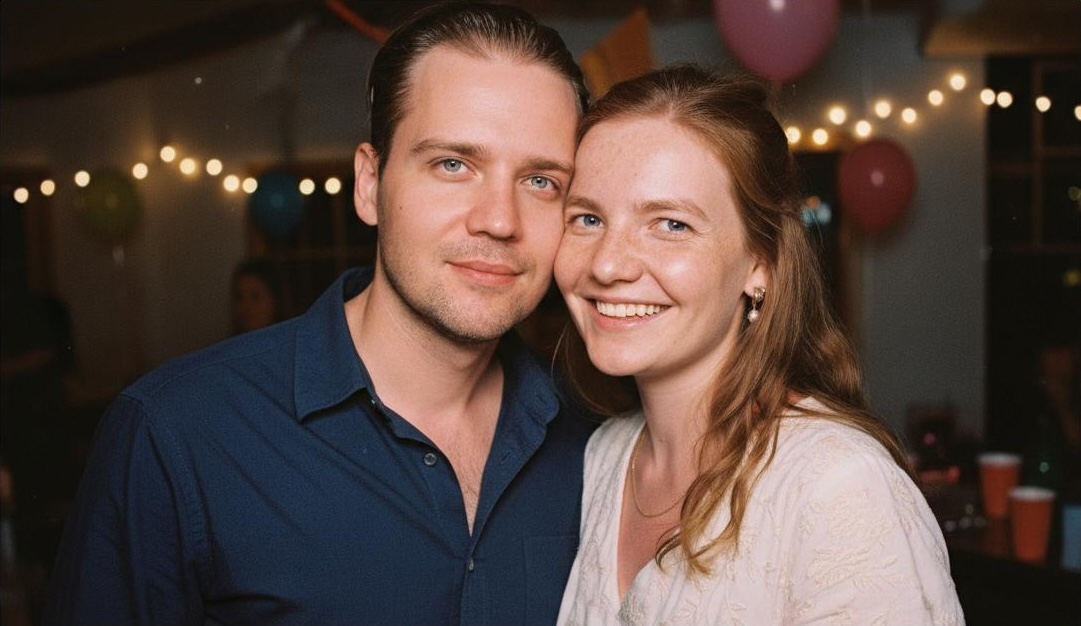
Many couples—especially those in Long Distance Relationships (LDR)—turn to AI for romantic photos or future baby visualizations, only to face disappointing results that look artificial or uncanny. The gap between expectation and reality often stems from poor preparation, outdated Latent Diffusion models, or a lack of deep identity preservation.
This comprehensive guide walks you through the 2026 standard for creating hyper-realistic AI photos, allowing you to skip the stressful $500+ physical studio sessions. You’ll learn how cutting-edge PixelDiT technology works, what inputs maximize realism, and how the Deterministic Workflow guarantees authentic results without manual prompt engineering.
Table of Contents
-
Verifying And Enhancing AI Photo Realism For Lasting Memories
-
Create Your Own Hyper-Realistic AI Couple And Baby Photos With PairFuse
Key takeaways
| Point | Details |
| AI model choice matters | Advanced pixel-based models like PixelDiT deliver superior realism and preserve natural skin pores, avoiding the “plastic” look of Latent Diffusion. |
| Identity Preservation | High-fidelity realism requires mapping up to 468 facial points to guarantee 95-99% resemblance. |
| The “Lazy Professional” approach | Skip the $500 studio sessions. You only need a few high-resolution selfies to generate cinematic results. |
| Deterministic Workflow | Pre-configured cinematic themes eliminate the need for complex prompt engineering or manual parameter tweaking. |
| Perfect for LDR couples | You don’t need to be in the same country. The AI flawlessly merges individual selfies into authentic, emotionally warm couple portraits. |
Understanding how AI models impact photo realism
The technology powering your AI photos determines whether results look like professional photographs or obvious computer graphics. Modern AI image generators fall into two main categories: pixel-based generative models and latent diffusion models. Each approach handles image creation differently, directly affecting the realism you see in final outputs.
Pixel-based models like PixelDiT achieve 1.61 FID on ImageNet 256×256, surpassing existing pixel generative models by a large margin. FID (Fréchet Inception Distance) measures how closely AI-generated images resemble real photographs, with lower scores indicating better quality. This breakthrough matters for couples wanting romantic photos that capture genuine emotion and detail. When you upload photos of yourself and your partner, pixel-based models process every detail directly without compression losses.
Latent diffusion models take a different route. They involve separately pretrained autoencoders which limit detail fidelity due to lossy reconstruction. Think of it like making a photocopy of a photocopy: each step loses some sharpness and fine texture. For baby visualizations where subtle inherited features matter, this compression can blur the very details that make a child recognizable as yours.
Comparing pixel-based and latent diffusion approaches:
-
Pixel-based models preserve high-frequency details like skin texture and hair strands
-
Latent diffusion models process faster but sacrifice fine detail accuracy
-
PixelDiT maintains facial features without autoencoder compression artifacts
-
Latent approaches may introduce subtle blurring in complex areas like eyes
-
Pixel generation better captures emotional nuance in expressions
“The fundamental difference lies in avoiding lossy reconstruction. When AI works directly with pixels rather than compressed representations, you retain the subtle details that make photos feel real rather than generated.”
For AI portrait best practices, understanding these technical foundations helps you choose platforms and settings that prioritize realism. The PixelDiT AI model research demonstrates how cutting-edge technology directly translates to better romantic couple photos and more believable future child visualizations.
The PairFuse Edge: Most generic AI tools use “Latent Diffusion,” which compresses your photos and loses those tiny details that make you you. At PairFuse, we’ve optimized our engine to work with pixel-level precision. By avoiding lossy compression, our 468-point facial mapping stays pin-sharp. This is why PairFuse images don’t have that “blurry AI look”—they have the crispness of a high-end DSLR.
Preparing your photos and data for realistic AI generation
Even the most advanced AI models produce mediocre results when fed poor-quality inputs. Your preparation work determines whether the AI has enough visual information to create truly realistic images. Think of it like giving an artist reference photos: blurry snapshots yield sketchy results, while crisp, well-lit images enable detailed portraits.
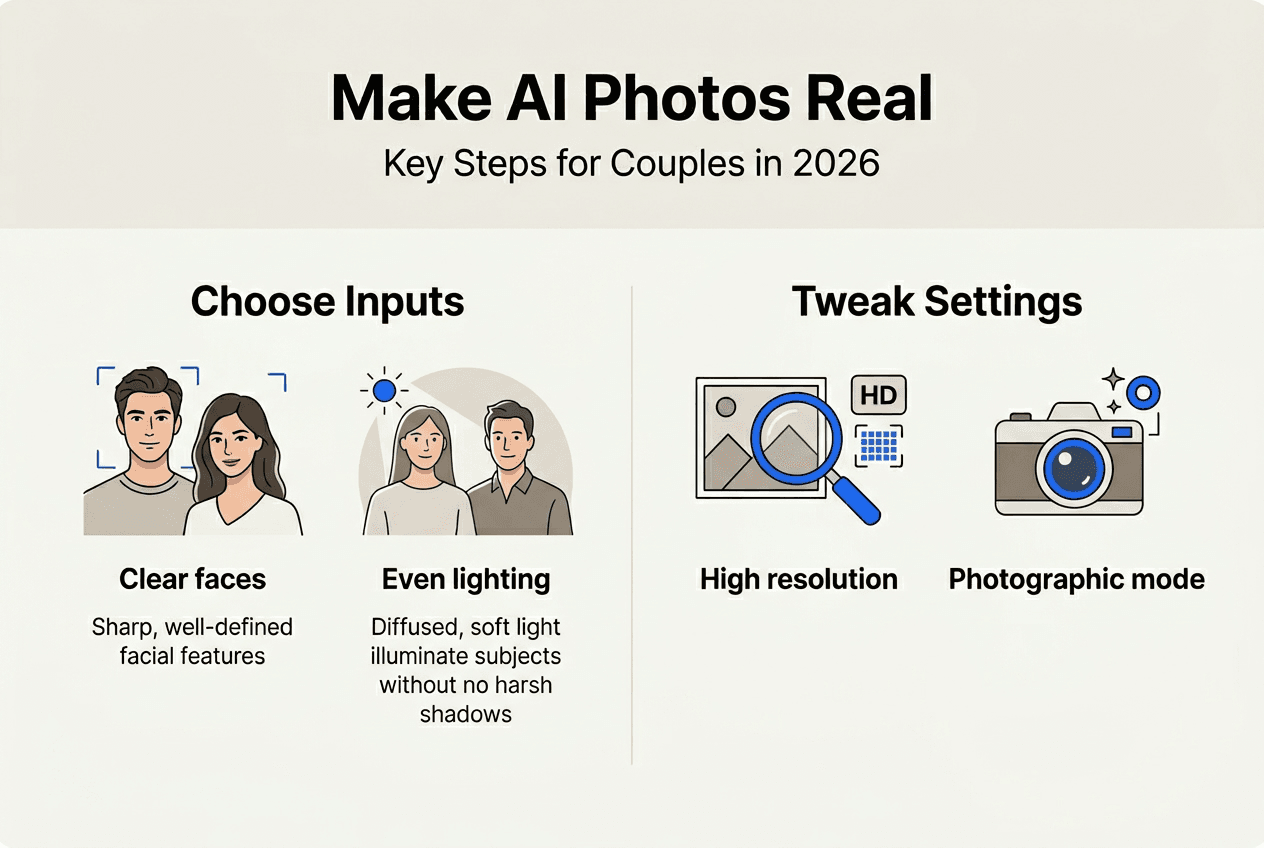
Ideal input photos share several key qualities. Lighting should be even and natural, avoiding harsh shadows across faces or overexposed highlights that wash out features. Resolution matters tremendously: aim for at least 1024×1024 pixels per photo, though higher is better. Expression and angle make a difference too. Neutral or gently smiling expressions with direct camera angles give AI the clearest view of facial structure and features.
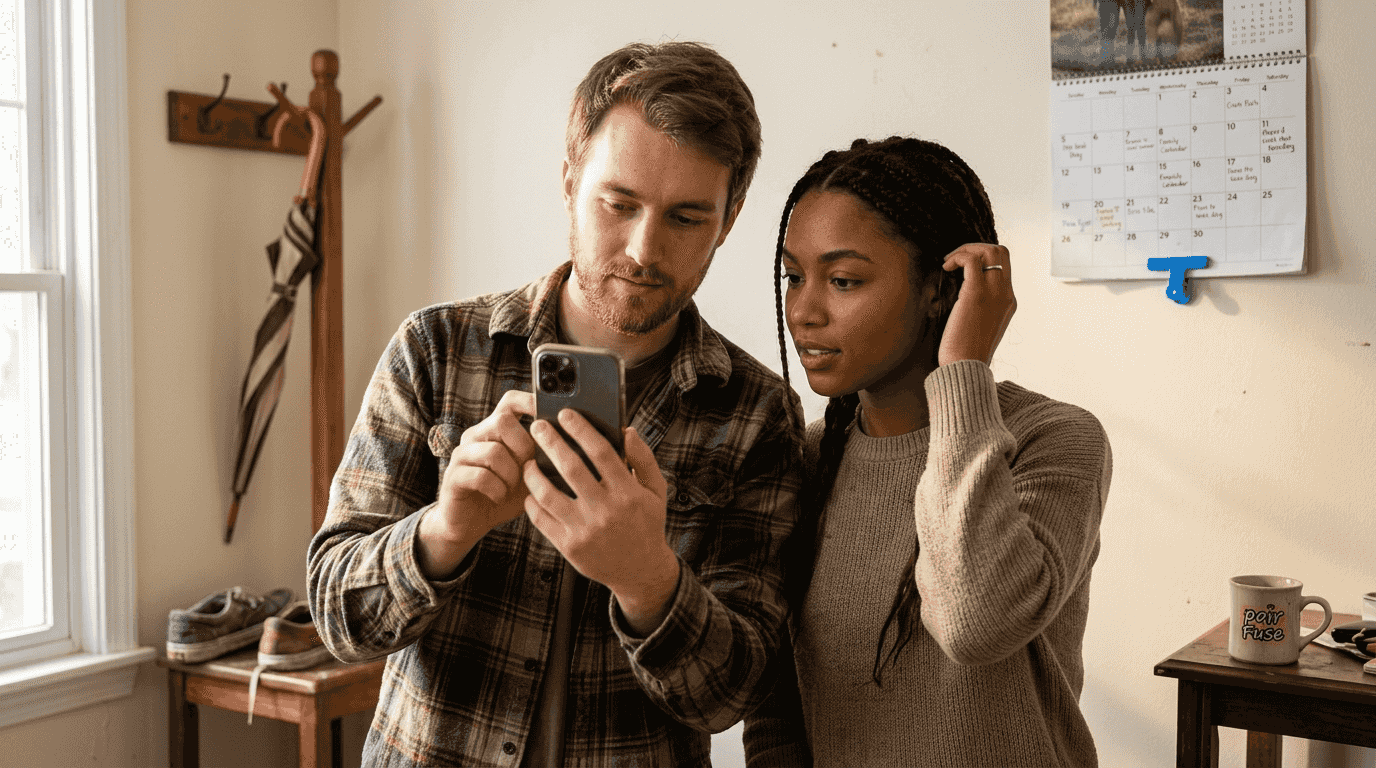
Why does this preparation matter for photo quality? PixelDiT achieves 0.74 on GenEval and 83.5 on DPG-bench, approaching best latent diffusion models. These benchmarks measure how well AI follows prompts and generates coherent images. When you provide high-quality inputs, you help the model hit these performance levels consistently. Poor inputs force the AI to guess at missing details, introducing artifacts and unrealistic elements.
The LDR Advantage: If you are in a Long Distance Relationship, you don’t need a shared photo to start. The AI’s 468-point facial mapping works individually on each partner’s selfies. As long as you both provide clean, well-lit photos, the engine will seamlessly blend your features into a cohesive, realistic romantic portrait with natural chemistry.
Essential prerequisites for photo inputs:
-
Minimum 1024×1024 resolution, preferably 2048×2048 or higher
-
Natural daylight or soft studio lighting without harsh shadows
-
Clear, unobstructed view of both faces for couple photos
-
Neutral backgrounds that don’t compete with facial features
-
Recent photos showing current appearance for accurate generation
-
Multiple angles if available to help AI understand facial structure
For baby visualization specifically, include photos showing both parents’ facial features clearly. The AI analyzes bone structure, eye shape, nose proportions, and other inherited traits. Metadata like ethnicity or family background can help, though visual information matters most.
Pro Tip: Take couple photos specifically for AI processing by positioning yourselves at the same distance from the camera with similar lighting on both faces. This consistency helps the AI blend your features naturally in romantic scenes while preserving individual identity. Avoid sunglasses, hats, or anything obscuring facial features.
For family photo preparation tips, remember that accuracy in AI photos starts with your source material. The PixelDiT benchmarks and accuracy research shows how input quality directly correlates with output realism. Spend an extra ten minutes selecting and preparing photos now to save hours of editing and regeneration later.
Step-by-step guide to making AI photos look real
Creating hyper-realistic AI photos in 2026 has evolved from complex manual “prompt engineering” to a structured, automated process. While older tools required users to fiddle with technical settings, PairFuse uses a deterministic workflow. This ensures that the photographic rules—like lighting physics and lens geometry—are hard-coded into the themes, leaving no room for the “uncanny valley” effect.
Here is exactly how to execute the process for consistently realistic results:
The PairFuse Professional Workflow:
-
Select a specialized AI photo platform: Start by creating an account on a platform like PairFuse that uses pixel-based processing and specialized identity preservation engines rather than generic art generators.
-
Upload high-resolution source photos: Identity preservation starts with your data. Upload 5–10 clear images. Our engine uses these to build a 468-point facial map, capturing the subtle geometry that makes you recognizable.
-
Choose a Deterministic Theme: Instead of typing complex prompts, select a pre-configured style such as “Studio Session,” “Retro 60s,” or “Sunset Glow.” These themes act as digital movie sets with fixed lighting and professional 85mm lens settings.
-
Activate the Identity Engine: Once you pick a theme, the AI automatically configures the generation parameters for maximum realism. It bypasses the need for manual “parameter tuning,” ensuring skin texture and facial symmetry are prioritized by default.
-
Review for Photographic Fidelity: Examine the results. Because the themes are deterministic, the lighting consistency and shadow directions are guaranteed to be physically accurate.
-
Refine via Input, not Sliders: If the likeness feels off, don’t try to “tune parameters.” Instead, replace one source photo with a better-lit selfie. This provides the AI with cleaner pixel data, instantly improving the final output.
-
Download in Ultra-HD: Save your final images in the highest resolution. Because PairFuse avoids lossy autoencoder compression, your photos maintain the crisp detail needed for professional printing and framing.
Why Deterministic Themes Beat Manual Configuration:
In the past, users had to guess at settings like CFG scale or denoising strength. PairFuse has removed this “trial and error” phase by baking professional photography standards directly into our themes.
| Step in Workflow | Old “Manual” AI Method | PairFuse Deterministic Method |
| Lighting | Manual prompts (often inconsistent) | Pre-set physical lighting maps |
| Lens Settings | User must specify focal length | Fixed 85mm portrait physics |
| Facial Detail | Randomly generated | 468-point identity preservation |
| Consistency | Results change every time | Reliable, studio-quality output |
| Resolution | Lossy latent compression | High-fidelity pixel-based rendering |
This systematic approach ensures that you spend less time being a “prompt engineer” and more time enjoying meaningful, lifelike memories. By leveraging pixel-based models and pre-optimized themes, you achieve a level of photorealistic AI imagery that was previously only possible for professional VFX artists.
For those curious about the science, our use of PixelDiT technology means we avoid the blurring caused by standard latent diffusion, resulting in AI-generated photos that are indistinguishable from real studio portraits.
The AI couple photo maker streamlines this process with optimized defaults for romantic imagery. For broader AI photo generation techniques, the key is patience and systematic adjustment. The detailed AI photo fidelity research confirms that iterative refinement with quality-focused parameters consistently outperforms single-shot generation with default settings.
Verifying and enhancing AI photo realism for lasting memories
Generation is only half the battle. Verification catches subtle issues that separate truly realistic photos from almost-convincing ones. Your eyes notice these problems instinctively, even if you can’t immediately articulate what feels off. Systematic evaluation helps you identify and fix issues before finalizing images for printing or sharing.
Facial symmetry provides your first checkpoint. Real human faces have slight asymmetries, but AI sometimes introduces unnatural imbalances. Check that eyes align horizontally, that nose and mouth center properly, and that ear positions match on both sides. Extreme asymmetry signals generation problems.
Lighting consistency matters enormously. Examine how light falls across faces, checking that shadow directions match throughout the image. Mixed lighting where one person appears lit from the left while another shows right-side illumination destroys believability. Verify that highlights and shadows follow a single, coherent light source.
Texture details reveal AI shortcuts. Zoom in on skin, hair, and fabric. Real photos show pores, individual hair strands, and fabric weave. AI sometimes smooths these textures into plastic-looking surfaces. PixelDiT’s low FID score indicates closer resemblance to real photos, making verification crucial for meaningful images.
Common AI photo issues to check:
-
Blurred or soft areas where detail should be sharp, especially around eyes and mouth
-
Unnatural shadows that don’t match the apparent light source direction
-
Uncanny expressions with misaligned features or odd muscle tension
-
Repetitive patterns in hair or clothing that look copy-pasted
-
Inconsistent focus depth where foreground and background sharpness don’t make sense
-
Color casts or tones that differ between subjects in the same scene
Typical Flaw Visual Indicator The Deterministic Correction Approach Soft facial features Lack of skin texture, blurred details Change input: Replace low-res selfies with HD photos (PixelDiT relies on pure pixel data). Inconsistent lighting Shadows point different directions Change theme: Select a highly structured deterministic theme (e.g., “Studio Session”) to override bad input lighting. Plastic skin appearance No pores or natural texture Change platform: Move away from generic Latent Diffusion tools to a PixelDiT-based platform like PairFuse. Uncanny expressions Asymmetric features, odd muscle tension Change input: Swap the source photo with one showing a natural, relaxed smile. Background artifacts Warped lines, impossible geometry No action needed: Premium platforms with hard-coded cinematic themes automatically generate flawless environments.
Subtle enhancement improves realism without crossing into obvious editing. Minor adjustments to contrast can add depth. Slight sharpening brings out details the AI rendered softly. Color balance corrections ensure skin tones look natural rather than too warm or cool. The goal is refinement, not transformation.
Remember that these photos commemorate meaningful moments and relationships. Baby visualizations help couples imagine their future family. Romantic couple photos capture connection and emotion. Verification preserves the authenticity that makes these images valuable beyond their technical quality. For accuracy verification tips, systematic checking against AI photo evaluation benchmarks ensures your final images meet professional standards.
Create your own hyper-realistic AI couple and baby photos with PairFuse
You’ve learned the technical foundation and practical steps for creating realistic AI photos. Now you can put this knowledge into action with tools designed specifically for couples and families seeking photorealistic results. PairFuse specializes in generating images where people look genuinely like themselves, not generic AI interpretations.
The platform combines cutting-edge AI technology with user-friendly workflows optimized for romantic couple photos and future baby visualizations. Upload photos of you and your partner, select from professionally designed themes like studio sessions or sunset portraits, and receive images that maintain your actual appearance while creating scenes you never physically photographed together.
Key benefits for couples and families:
-
Professional-grade photorealism that preserves facial identity and natural expressions
-
Easy-to-use interface requiring no technical knowledge or complex prompting
-
Creative style options from romantic portraits to seasonal themes and wedding aesthetics
-
Baby generator that visualizes inherited features from both parents realistically
-
High-resolution outputs suitable for printing, framing, or sharing as meaningful gifts
Explore the AI couple photo maker to create romantic images across dozens of themes. Try the AI baby generator tool to visualize what your future children might look like. For polished, editorial-quality results, check out the studio couple photoshoot service that applies professional photography techniques to your AI-generated images.
Frequently asked questions
How can I choose the best photos to create realistic AI couple images?
Choose high-resolution, well-lit photos with natural expressions and clear facial features for optimal AI results. Both people should face the camera at similar angles with even lighting across their faces. Avoid heavy filters or extreme angles that can confuse the AI and introduce artifacts. Recent photos showing your current appearance work best for maintaining accurate identity in generated images.
What are common mistakes to avoid when generating AI photos of future children?
Avoid using poor quality parent photos with inconsistent lighting or low resolution, as these limit the AI’s ability to analyze facial features accurately. Don’t ignore AI parameter defaults without adjustments, since generic settings often prioritize speed over realism. Overlooking realistic facial structure and expression settings can yield unnatural results that look more like dolls than believable babies.
How do I verify if an AI photo looks truly realistic?
Check for natural lighting with consistent shadows that follow a single light source direction throughout the image. Look for sharp facial details including skin texture, individual hair strands, and subtle imperfections that mimic real photography. Zoom in to examine whether eyes, skin, and fabric show appropriate texture rather than artificial smoothness. Real photos have minor asymmetries and natural variations, while overly perfect or uniformly blurred areas signal AI generation issues.
What resolution should I use for AI-generated couple photos I plan to print?
Use the maximum resolution available, preferably 2048×2048 pixels or higher, to ensure print quality matches professional photography standards. Higher resolutions preserve fine details like skin texture and hair that become visible in large prints. For standard photo prints up to 8×10 inches, 1024×1024 works adequately, but larger prints or cropped compositions benefit significantly from starting with the highest resolution possible.
You Don’t Need to Be a Scientist to Get Science-Backed Results
Let PixelDiT and 468-point facial mapping handle the heavy lifting. You don’t need to understand FID scores to know when a photo looks perfect. Experience the highest standard of AI photorealism with PairFuse’s deterministic themes.
Create Your Hyper-Realistic AI Photoshoot Now →