How to Choose Photos for Better AI Couple and Baby Results
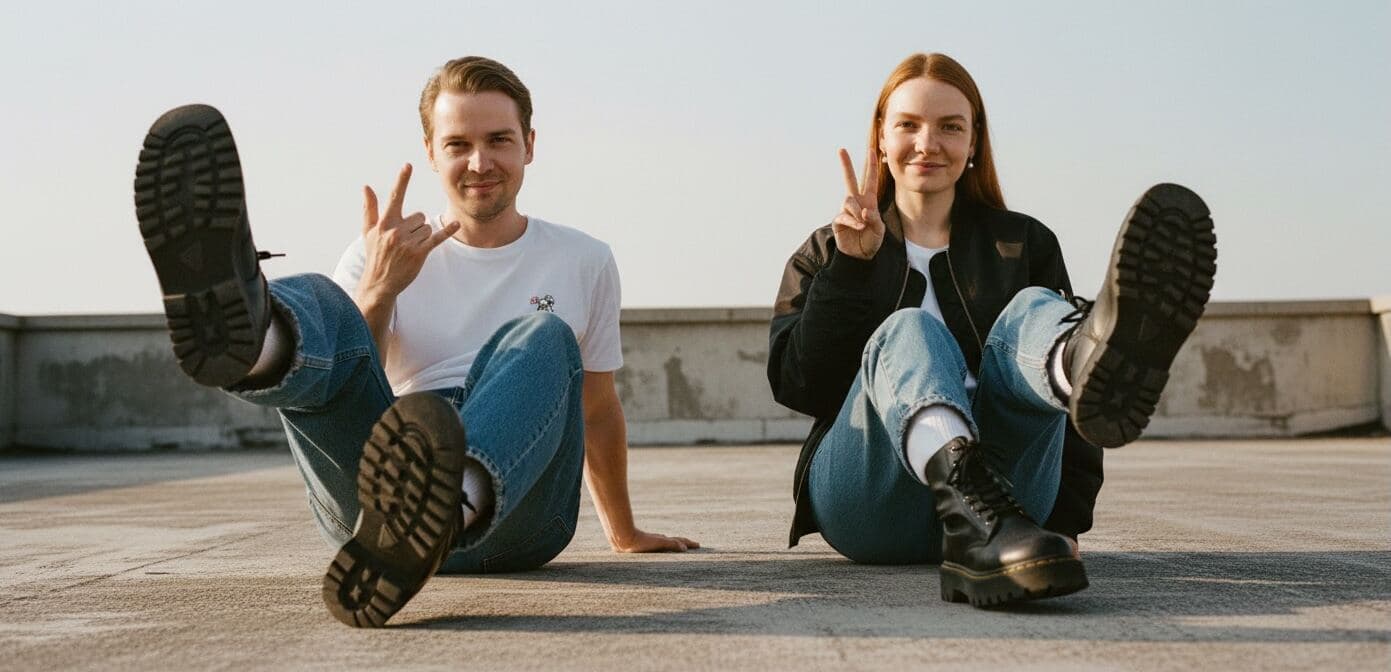
The fastest way to improve PairFuse results is to improve the photos you upload first. Better lighting, clearer faces, stronger angle coverage, and more consistent appearance usually matter more than any later retry.
That is true for both PairFuse products. Couple photos need resemblance, body logic, and a believable shared scene. Baby portraits need enough clean visual information from both parents to create a plausible result. In both cases, weak photos make the model guess too much.
This guide is based on how PairFuse actually works in production: how roles are uploaded, what kinds of photo sets create stronger outputs, and which input mistakes most often reduce realism.
Quick answer
If you only remember four things, remember these:
- upload 3 to 7 photos per role
- use photos where one person clearly dominates across the full set for that role
- include a mix of angles instead of near-duplicates
- avoid filters, sunglasses, masks, grimaces, and blurry photos
In plain English: the best photos for AI couple photos and baby results are clear, recent, consistent, and varied enough to show the same person from more than one useful angle.
If you want to try it now:
Best photos for AI couple photos vs AI baby results
The same core rules apply to both PairFuse flows, but the priority is slightly different depending on what you want to generate.
| Use case | What matters most | What helps extra |
|---|---|---|
| AI couple photos | clear face identity for both roles, balanced quality, consistent current appearance | at least one full-body photo, stronger angle diversity, fewer cropped group shots |
| AI baby generator | clear visible traits from both parents, balanced parent photo sets, current appearance | readable eye area, stable age signals, fewer filtered or stylized photos |
If you want the short version:
- the best photos for AI couple photos are clear, current, balanced across both roles, and ideally include at least one full-body image
- the best photos for an AI baby generator are clean, recent, readable parent photos with stable visible traits and no strong edits
Who this guide is for
This article is for you if:
- you are about to upload photos to PairFuse
- your first result looked weak or generic
- you are unsure whether selfies, pair photos, or group photos are acceptable
- you want to know which source photos improve resemblance the most
What photos work best for PairFuse?
In most cases, the best source photos for realistic AI results look ordinary. They are not heavily edited, overly stylized, or designed for social media. They are simply clear enough for the model to read the same real person correctly.
The strongest PairFuse upload sets usually have these traits:
- recent photos that still match how the person looks now
- clean visibility of the face and eye area
- more than one useful angle
- similar appearance across the full set
- no misleading edits or filters
Good photos that help PairFuse most
These are the kinds of source photos that usually work well:
- clear face visibility
- natural expression
- good lighting
- normal current appearance
- useful angle variety
- enough detail to read the face properly

✅ Clear portrait with readable features and usable light. |

✅ Clear portrait with stable current appearance. |

✅ Casual real-life photo that still gives enough facial detail. |

✅ Pair photo that can still work when one identity stays dominant across the full set. |
You do not need studio headshots. Clean real-life photos are often enough.
What these examples have in common:
- the intended person is easy to identify
- the face is visible and readable
- lighting is usable
- the photos still look like the same real person
Why angle diversity helps
One of the easiest mistakes is uploading multiple photos that all look almost the same. PairFuse usually benefits more from useful variety than from repetition.
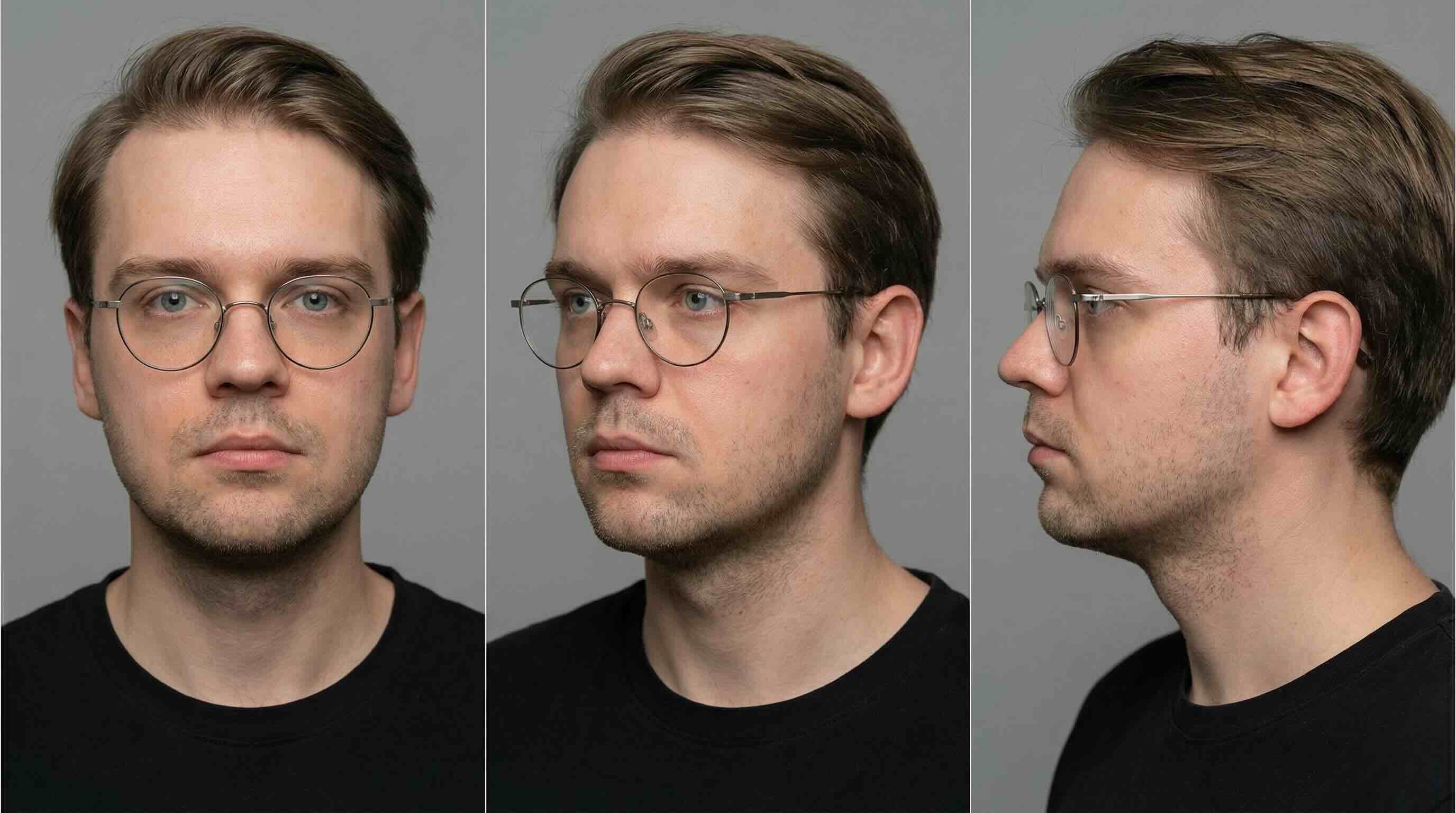
The strongest set for one role usually includes:
- one mostly front-facing photo
- one three-quarter angle
- one side or profile angle
That gives the model more complete identity information than several nearly identical selfies.
Risky photos that can still work
Some photos are not ideal, but they are not automatic failures.
These can still work in the right set:
- pair photos
- group photos
- casual selfies
- photos with a less polished background
They become risky when:
- the target face is too small
- another person appears just as often
- the face is partly blocked
- the photo conflicts with the rest of the set
The rule is simple: if you want to upload pair or group photos, make sure the same intended person still appears most often across the full set for that role.
If you are wondering whether you can upload group photos to an AI photo generator, the PairFuse answer is yes, but only when the intended identity stays obvious across the full upload set.
Quick pass / fix / reject guide
| Photo type | Verdict | Why |
|---|---|---|
| Clear solo portrait | Pass | Strong identity signal |
| Pair photo with a clearly recurring person across the full set | Pass | Still usable if the intended person dominates overall |
| Group photo with a clearly recurring person across the full set | Fix | Usable, but only if the target identity stays unambiguous |
| Old photo that no longer matches current appearance | Fix | Can confuse age and identity signals |
| Photo with inconsistent facial hair, hair color, or visible attributes | Fix | May create mixed or unstable features |
| Filtered, AI-generated, blurry, or obstructed photo | Reject | Teaches the model the wrong face or hides key details |
Bad photos that usually hurt results
These photos usually create worse outputs because they hide identity, distort the face, or teach the wrong visual signals.

❌ Sunglasses hide key facial features. |

❌ Masks block too much identity information. |

❌ Grimaces teach the wrong expression. |

❌ Blur removes facial detail the model needs. |

❌ Cut-off faces reduce reliability. |

❌ Hands covering the face hide important features. |

❌ Social filters distort real appearance. |

❌ AI-generated inputs make results less natural. |
These are also common problems even if we do not need to show all of them visually every time:
- much younger photos mixed with current photos
- inconsistent facial hair across the set
- low-detail crops where part of the face is missing
If a bad photo enters a small set, it carries a lot of weight. That is why replacing one weak photo can improve the next result more than adding one more average photo.
If you can replace only one photo, replace the weakest one first. Usually that means the blurriest, most obstructed, or most filtered image in the set.
The 6 rules that matter most before upload
1. Use one dominant person per role
PairFuse can work with solo photos, pair photos, and group photos. What matters is that across the full uploaded set for one role, the same person appears most often and most clearly.
For example, this can still work:
- one solo portrait
- one pair photo
- one group photo
If the same person appears across all three, that usually works. What fails is a set where the same few people keep recurring and no intended person is clearly dominant.
2. Use different angles, not near-duplicates
One front view, one three-quarter view, and one profile usually help more than three near-identical selfies.
Angle variety improves:
- face shape
- side profile accuracy
- identity stability
3. Keep the person's appearance consistent
Use photos from the same general period of life and with the same defining traits:
- similar age
- same or similar hair color
- similar facial hair
- consistent tattoos or piercings
If one photo is much younger, or only one photo shows different facial hair or styling, PairFuse may mix those signals.
4. Prefer clear, readable faces
The face should be easy to read:
- sharp enough to see real features
- not hidden behind glasses, hands, or accessories
- not heavily shadowed
- not cropped too tightly
5. Avoid filters and edited inputs
Avoid Instagram filters, beauty edits, AI-enhanced portraits, and other processed inputs. They often cause:
- plastic-looking skin
- exaggerated features
- weaker resemblance
- less believable results
6. Use better light, not more dramatic light
Soft daylight or even indoor light usually works better than dark photos, harsh shadows, or noisy screenshots. Better light helps the model read:
- skin tone
- eye area
- face shape
- surface detail
Special rules for couple generation
For couple photos, PairFuse needs not only face identity but also believable shared-scene logic. Both roles need usable source photos, and the final image should feel like one coherent portrait rather than a stitched merge.
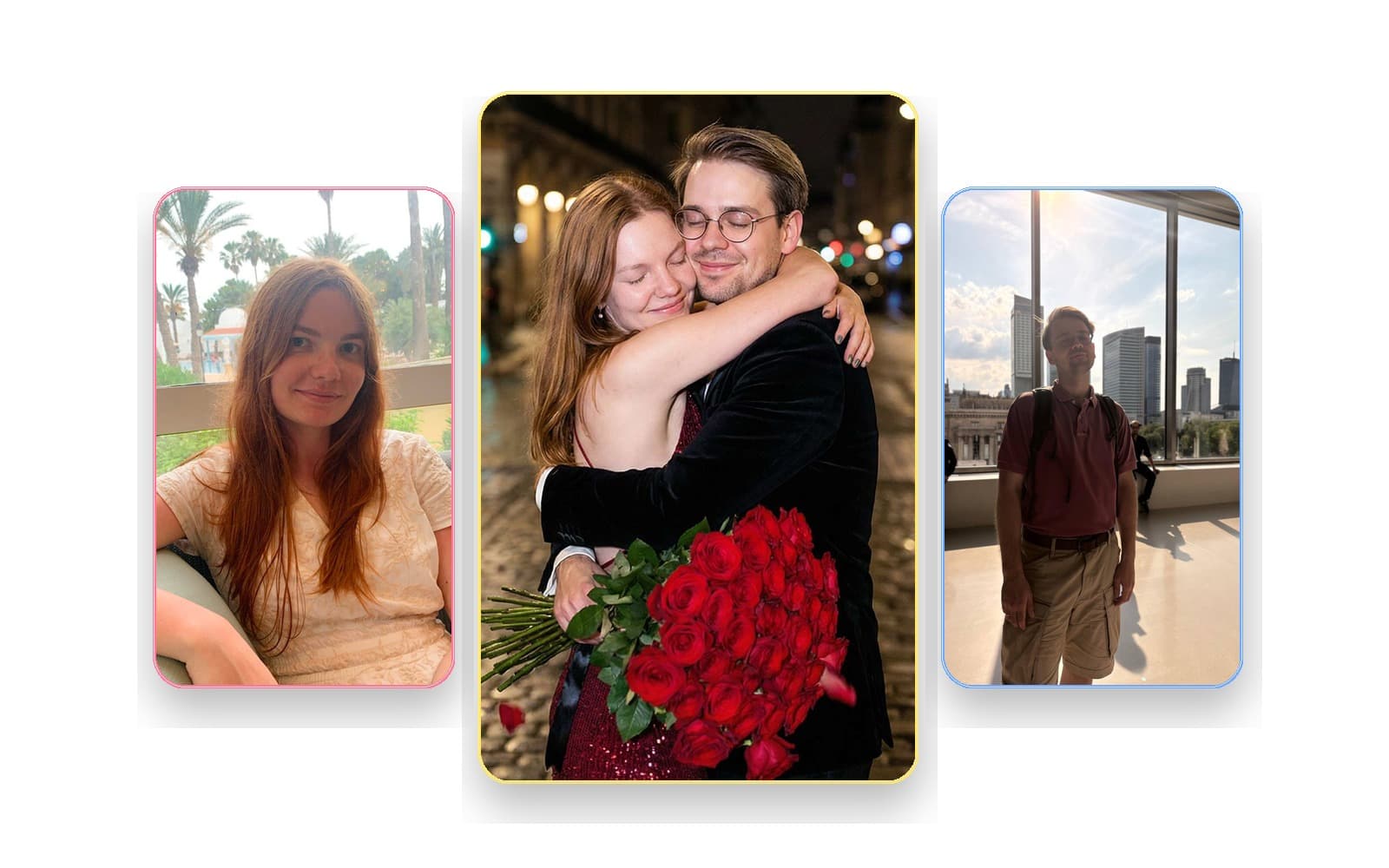
A strong couple set usually helps with:
- proportions
- posture
- how the person occupies a shared scene
- more believable body placement in the final couple portrait
Couple-specific guidance:
- upload 3 to 7 photos per role if possible
- include at least one full-body shot when you can
- keep both roles reasonably balanced in quality
- do not make one role excellent and the other role weak
If you are optimizing specifically for a shared portrait, also make sure:
- both people look like themselves now
- both roles include at least one strong face photo
- at least one role is not built mostly from cropped group shots
If one role has much worse photos than the other, fix that weaker set first.
For an AI couple photo generator, balanced inputs matter more than people expect. A strong set for one person cannot fully compensate for a weak set for the other person.
If your goal is to combine two separate people into one believable portrait, read:
Special rules for baby generation
For baby generation, the model does not need a shared scene. It needs clean visual information from both parents.
That makes consistency and facial readability especially important.
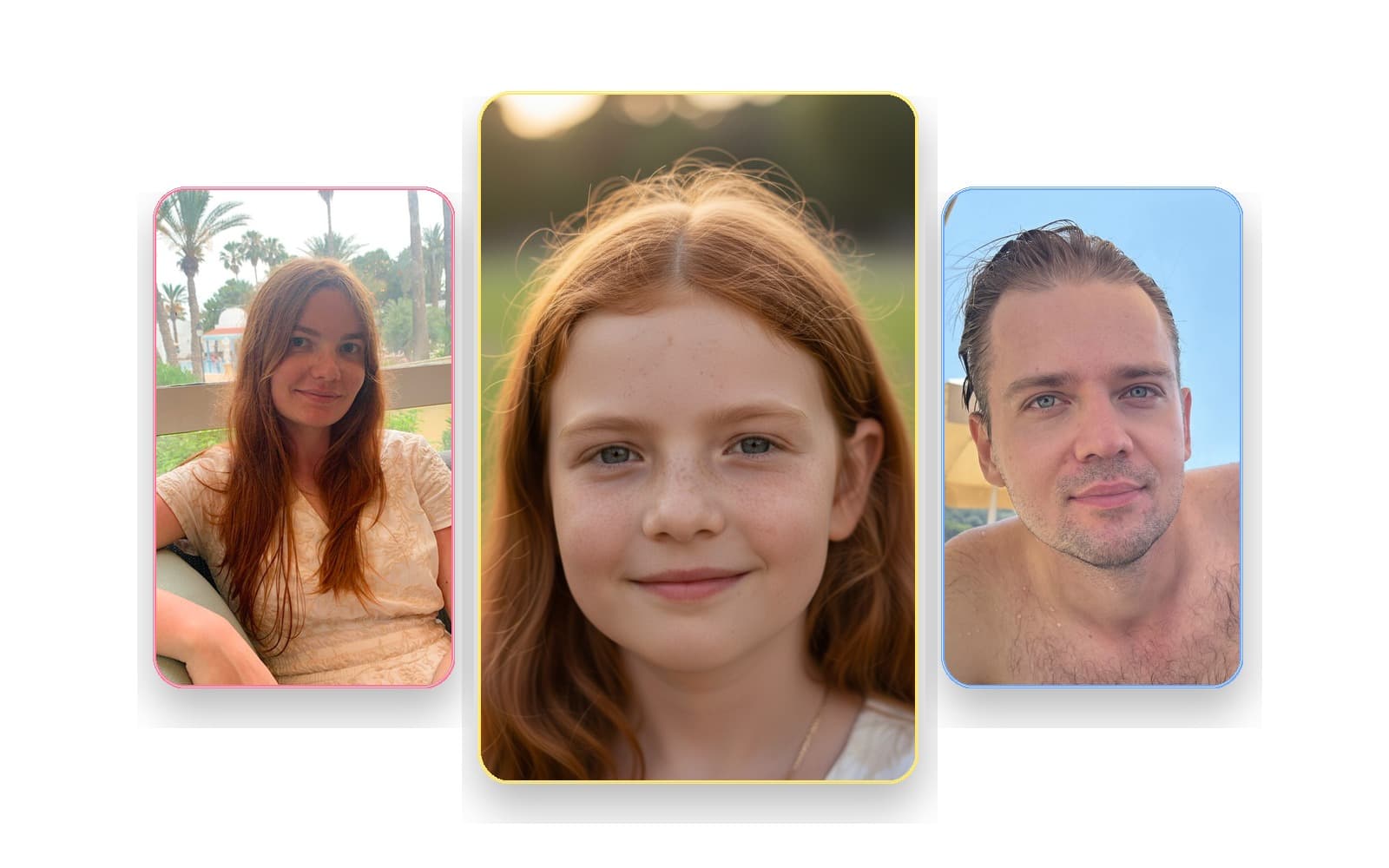
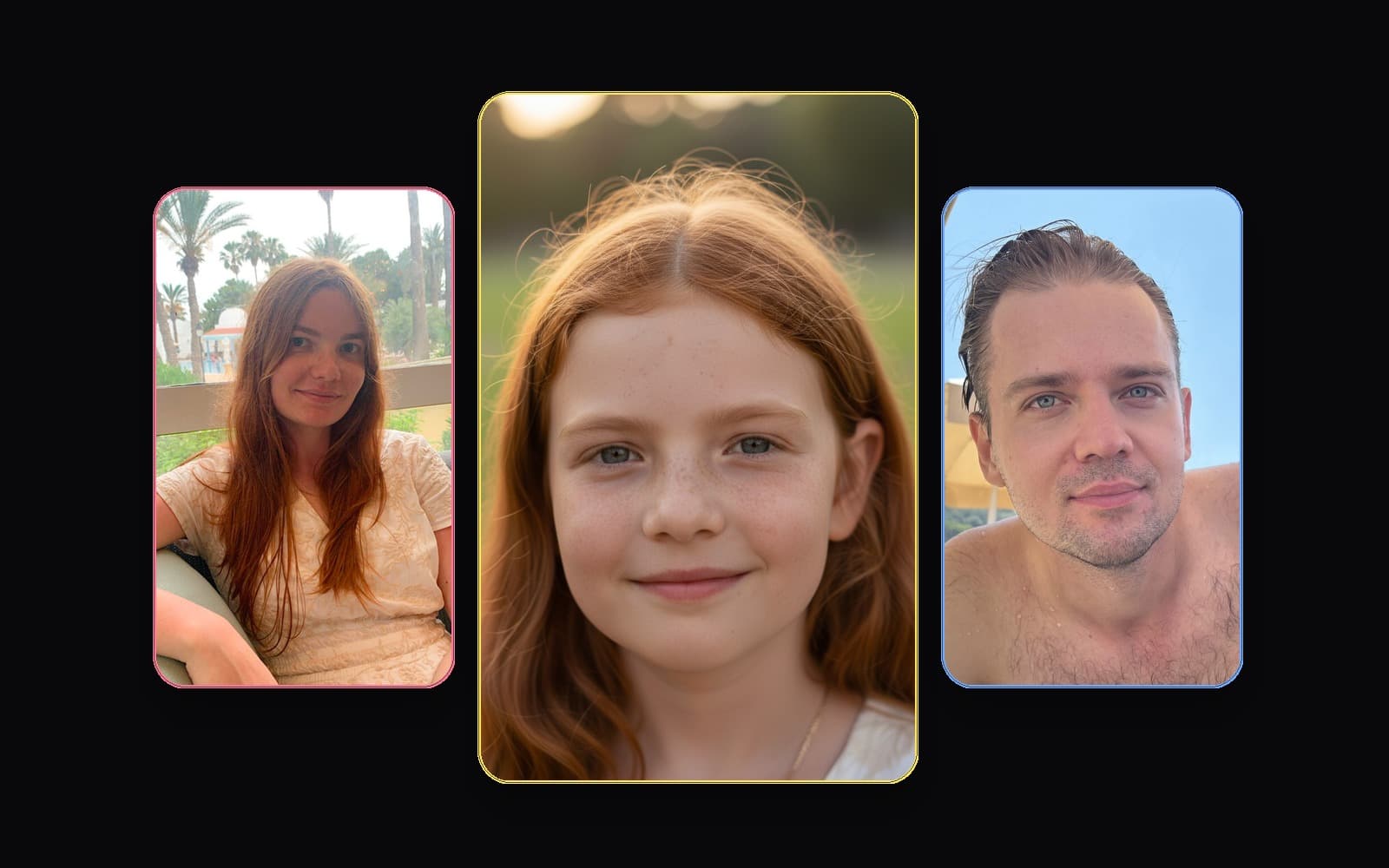
Baby-specific guidance:
- try to make both parent photo sets equally strong
- use current photos
- keep skin tone, eye area, and face shape readable
- avoid heavy filters and dramatic age differences between photos
For baby generation, balanced parent sets matter more than aesthetic styling. The model needs clean input from both sides more than it needs "beautiful" photos.
The baby generator is not a medical or DNA prediction tool. It creates a visual interpretation based on visible traits, so cleaner inputs usually lead to more believable outputs.
If one parent set is much stronger than the other, improve the weaker parent set first. That usually helps more than changing style or trying another prompt.
If that is your use case, also read:
1-minute checklist before you press generate
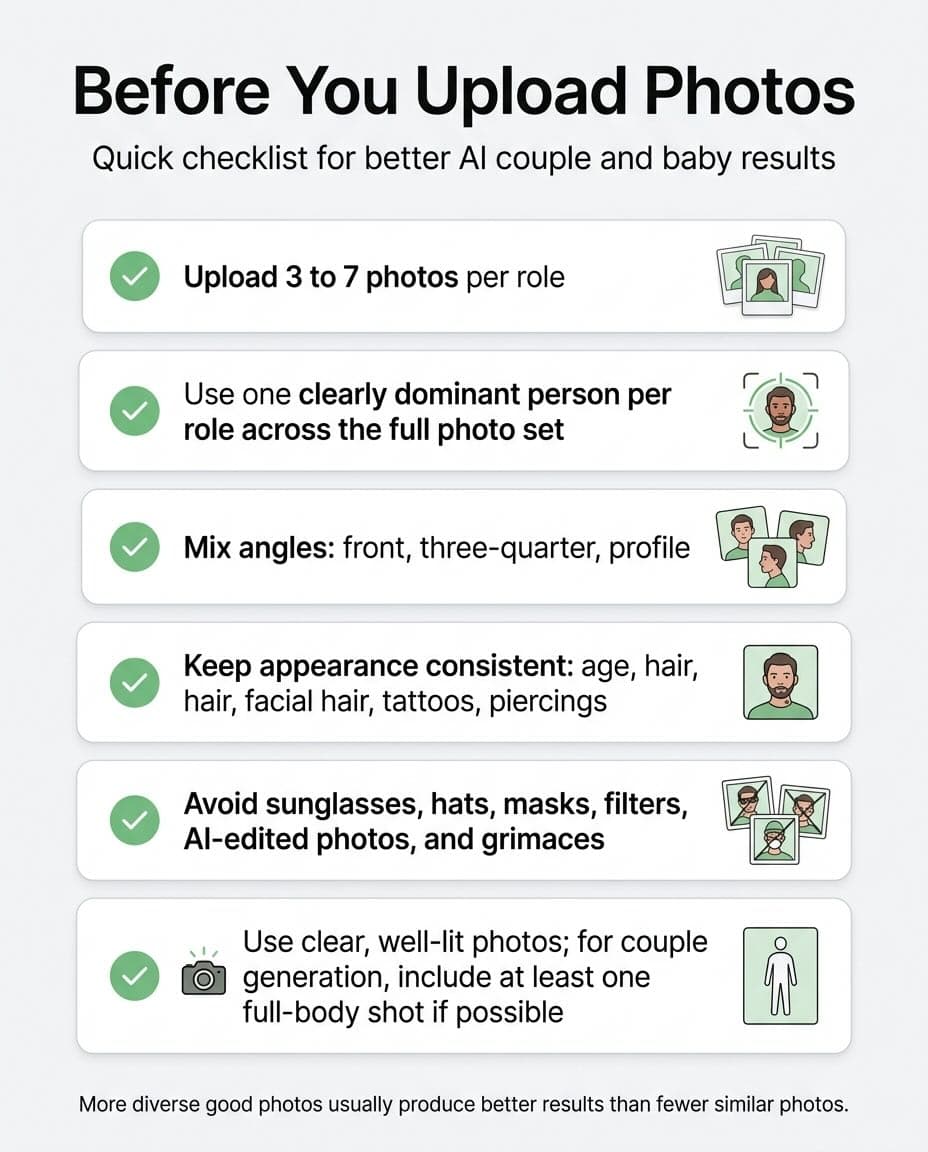
Use this checklist before you upload:
- 3 to 7 photos per role
- one dominant person across the full set for that role
- a mix of front, three-quarter, and profile angles
- consistent age, hair, facial hair, tattoos, and piercings
- no sunglasses, hats, masks, filters, AI edits, or grimaces
- clear, well-lit photos, plus at least one full-body photo for couple generation if possible
Final recommendation
If your results are weak, do not start by blaming the style or retrying the same set again. Start by fixing the source photos.
Better uploads usually create the biggest quality jump in PairFuse.
If you want a simple rule, use this order:
- remove the weakest photo
- improve angle coverage
- make the set more consistent
- only then retry generation
FAQ
How many photos should I upload for each role?
Upload 3 to 7 photos per role. Three is the practical minimum. Five to seven good, varied photos usually gives the model more stable identity information.
Can I upload pair photos or group photos?
Yes. PairFuse can use them. What matters is that across the full uploaded set for one role, the intended person still appears most often and most clearly.
Can I upload group photos to an AI photo generator?
Yes, in PairFuse you can. Group photos are acceptable when the same intended person remains the dominant identity across the full photo set for that role. They become risky when several recurring people appear equally often and the target person is ambiguous.
Can I use selfies for PairFuse?
Yes. Clean selfies often work very well. What matters is face visibility, lighting, consistency, and whether the photo still looks like your real current appearance.
What are the best selfies for AI couple photos?
The best selfies for AI couple photos are clear, recent, naturally lit, and not distorted by extreme close-up angles or filters. They work even better when they are part of a mixed set that also includes a different angle and, ideally, one full-body image.
Do I need different angles?
Yes. Front, three-quarter, and profile views usually help more than several nearly identical photos.
Why does consistency matter so much?
If the uploaded photos show different ages, different hair colors, different facial hair, or changing visible attributes, the model may mix those signals and produce a less stable result.
Can I upload old photos?
Sometimes, but only if they still reflect how the person looks now. If the age difference is obvious, or hair, facial hair, tattoos, or piercings changed a lot, older photos become risky.
Are filtered photos okay?
Usually no. Beauty filters, Instagram edits, and AI-enhanced portraits often hurt realism and make the final output look less natural.
What matters more: background or face clarity?
Face clarity. A plain, readable photo is more useful than a visually impressive photo with weak facial detail.
What if one photo is much worse than the others?
Replace that one first. The weakest photo in the set often does more damage than people expect.
Do I need full-body photos?
For couple generation, at least one full-body photo is strongly preferred when possible. It helps with body logic, pose, and shared-scene realism.